> For the complete documentation index, see [llms.txt](https://408550179s-organization.gitbook.io/blog/llms.txt). Markdown versions of documentation pages are available by appending `.md` to page URLs; this page is available as [Markdown](https://408550179s-organization.gitbook.io/blog/wang-ye-duo-yu-yan-fan-yi-shi-pei-antelement.md).

# 网页多语言翻译-适配ant/element

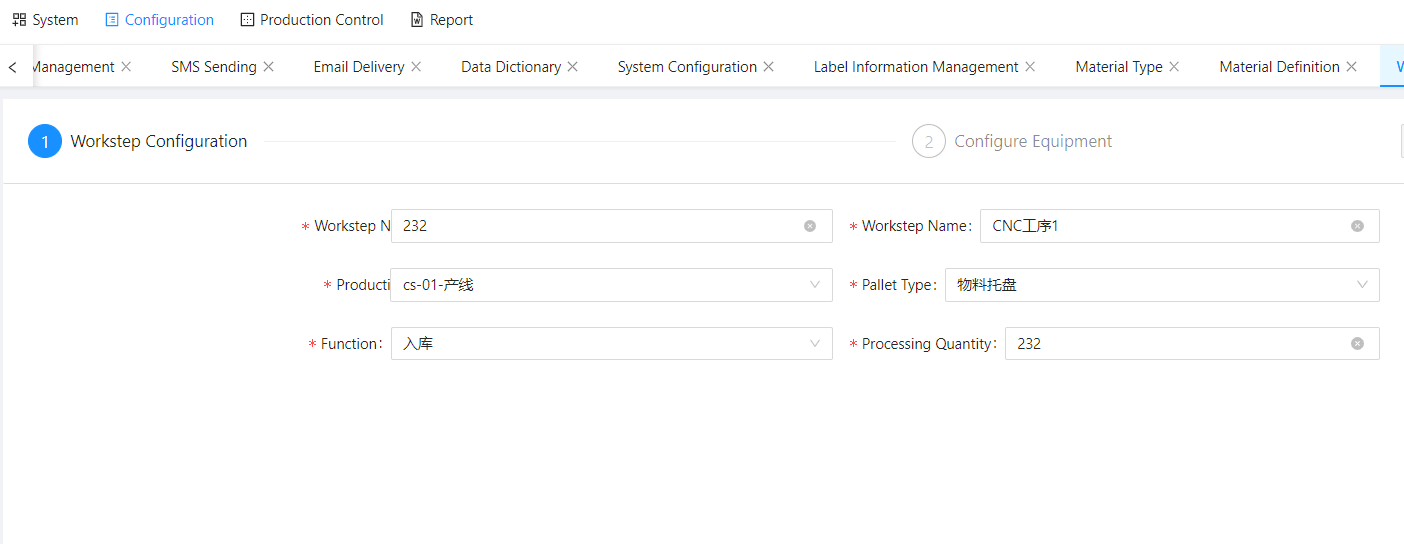
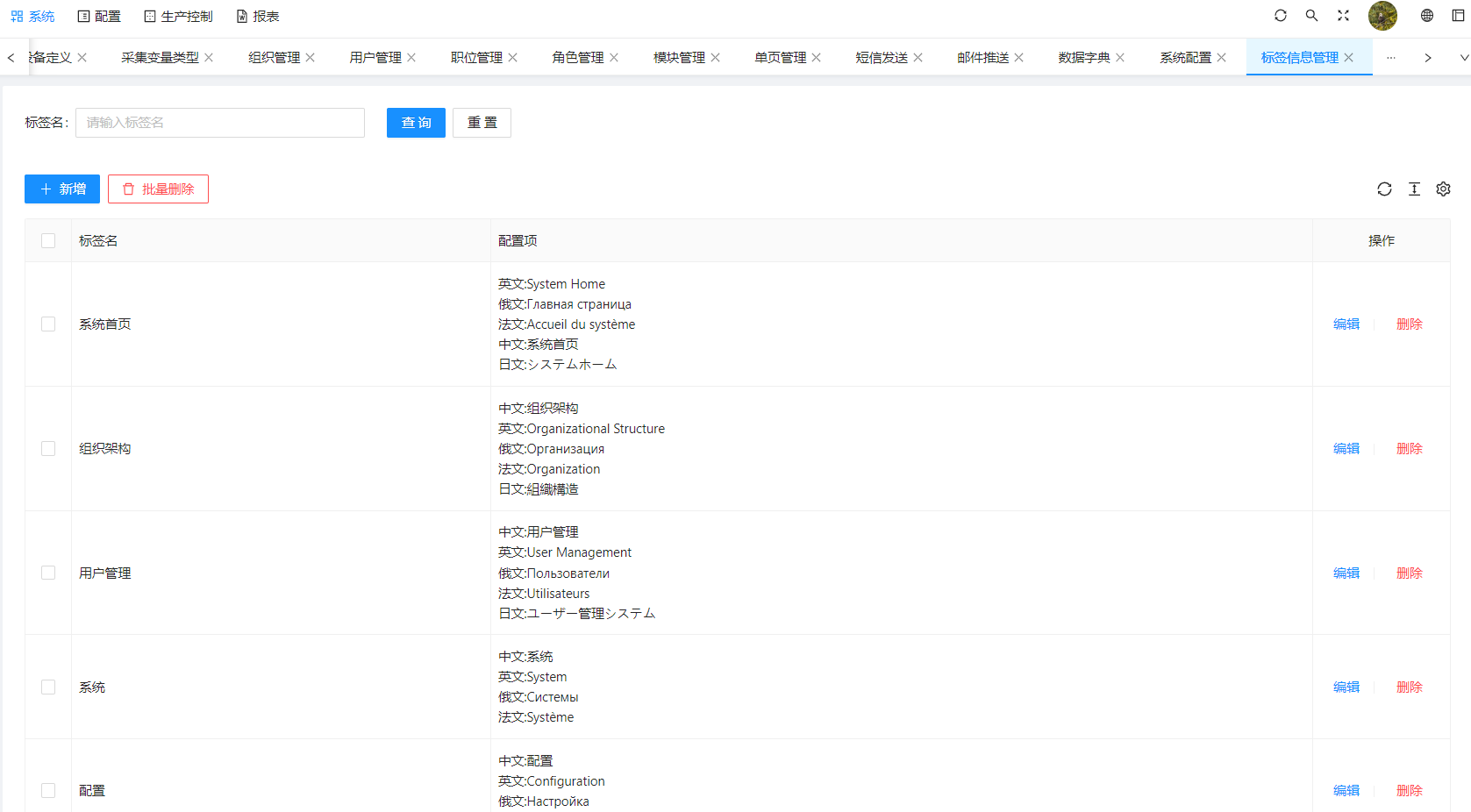
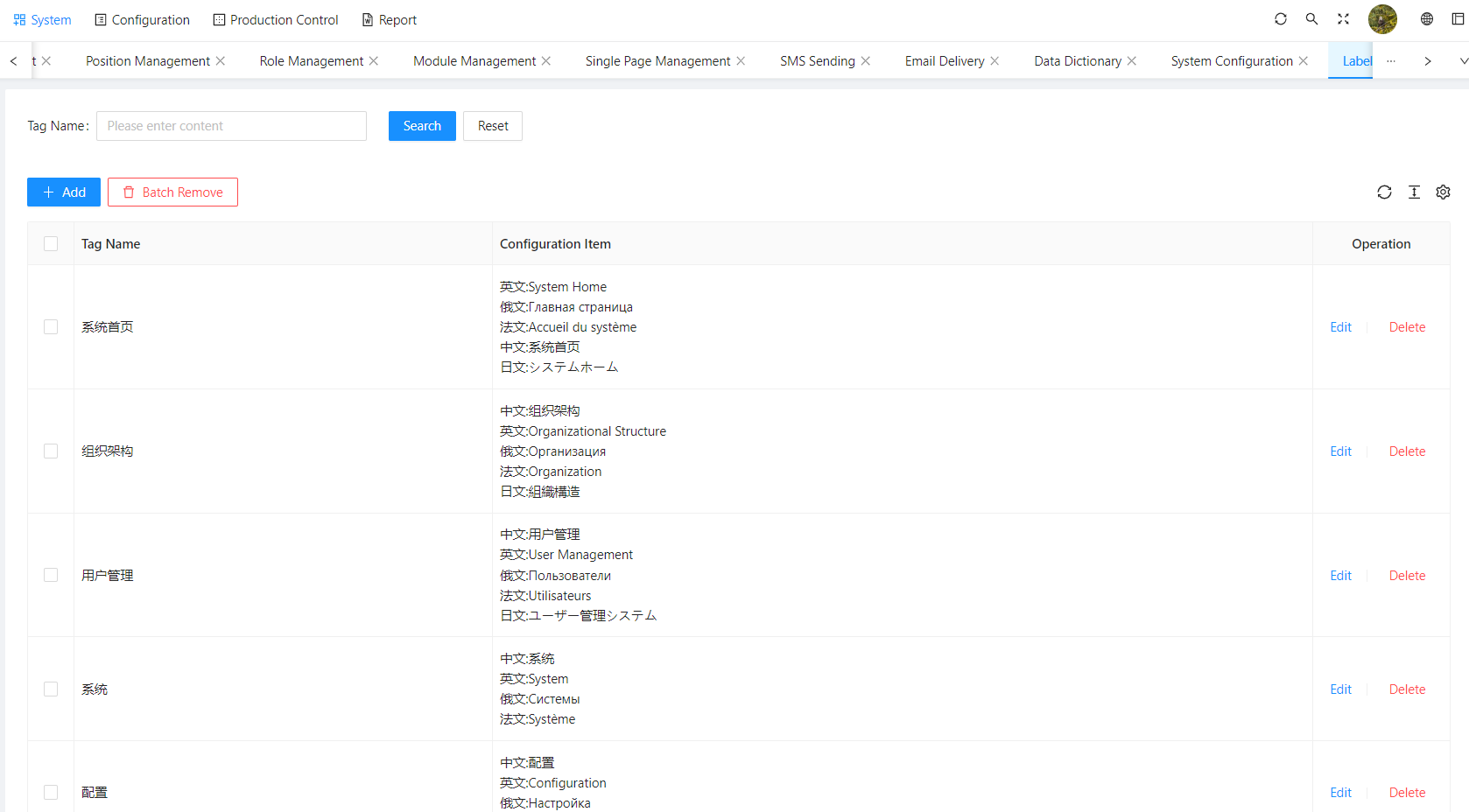
目前ant/element的i18n多语言支持仅仅支持部分初始化配置设置的按钮以及菜单，无法实现tag/动态数据/input校验/input提示/modal等动态类似于翻译的渲染

<figure><img src="https://1503741314-files.gitbook.io/~/files/v0/b/gitbook-x-prod.appspot.com/o/spaces%2FzAK7hmujKB7IxwfgjF06%2Fuploads%2FOGtdcFcCujmCFMzBZlxL%2F%E4%BC%81%E4%B8%9A%E5%BE%AE%E4%BF%A1%E6%88%AA%E5%9B%BE_16996087692761.png?alt=media&amp;token=8cf57b04-82a1-4015-a7aa-d9f64c6bc89e" alt=""><figcaption><p>表单英文版</p></figcaption></figure>

<figure><img src="https://1503741314-files.gitbook.io/~/files/v0/b/gitbook-x-prod.appspot.com/o/spaces%2FzAK7hmujKB7IxwfgjF06%2Fuploads%2FhlL5SwDA10GZwbi0Pmxn%2F%E4%BC%81%E4%B8%9A%E5%BE%AE%E4%BF%A1%E6%88%AA%E5%9B%BE_16996078774767.png?alt=media&amp;token=fa360493-15c4-4deb-b597-549967c03fed" alt=""><figcaption><p>中文版本</p></figcaption></figure>

<figure><img src="https://1503741314-files.gitbook.io/~/files/v0/b/gitbook-x-prod.appspot.com/o/spaces%2FzAK7hmujKB7IxwfgjF06%2Fuploads%2FOWKNF92hfO3FB52lTJGP%2F%E4%BC%81%E4%B8%9A%E5%BE%AE%E4%BF%A1%E6%88%AA%E5%9B%BE_16996078567191.png?alt=media&amp;token=5eabb22a-f41e-4634-a0b7-6b8fe3fe77d5" alt=""><figcaption><p>英文版本</p></figcaption></figure>

基础demo的实现方法：

通过获取遍历dom穿透取出VMdom中的textContent是否符合已有的翻译库/翻译标签信息

如果存在，进行语言替换

```javascript
// 根据dom修改内文本
export const replaceTextContent = (el) => {
  langs = tool.data.get('SNOWY_LANGUAGE')
  app_lang = tool.data.get('APP_LANG') || sysConfig.LANG
  if (langs && el) {
    if (el.childNodes && el.textContent) {
      const keys = el.textContent.replace(/:|：/g, '').trim()
      if (langs[keys] && langs[keys][app_lang] && el.childNodes.length == 0) {
        const oldName = keys
        if (oldName !== langs[keys][app_lang]) {
          el.textContent = langs[keys][app_lang]
          langs[langs[oldName][app_lang]] = langs[oldName]
          tool.data.set('SNOWY_LANGUAGE', langs)
        }
      }
      Array.from(el.childNodes).forEach(replaceTextContent)
    }
  }
}
// 根据className以及节点层级 以主节点为作用域 更新虚拟dom
export const loadNewLangNames = (names) => {
  if (names && typeof names == 'string') {
    getQueryDom(names)
  } else if (names && names instanceof Array) {
    names.map((item) => {
      getQueryDom(item)
    })
  } else {
    ;[
      '.ant-menu-title-content',
      '.ant-tabs-nav-list .ant-tabs-tab-btn',
      '.ant-table-thead',
      '.ant-form-item-required',
      '.ant-form-item-label',
      '.ant-steps-item-title',
      '.ant-radio-wrapper',
      '.langs-title'
    ].map((item) => {
      getQueryDom(item)
    })
  }
}
const getQueryDom = (item) => {
  const dom = document.querySelectorAll(item)
  Array.from(dom).forEach((e) => {
    replaceTextContent(e)
  })
}
```

由于是获取dom后进行二次快速渲染，那么如何监听路由跳转或者语言按钮切换其他页面内容以及动态表单数据的渲染呢？

这里用MutationObserver进行监听：

```javascript
// new MutationObserver
const Observer = new MutationObserver((list) => {
    classArr.forEach((item) => {
        if (document.querySelector(item)) {
          loadNewLangNames(item)
        }
      })
    })
    Observer.observe(contents, { attributes: false, childList: true, subtree: true 
})
```